


This function allows that when someone adds a ticket, the system will send them an email with the ID of their ticket and a link where they can check the status of their ticket.
This feature can only be activated by the administrator.
Next we will explain how to activate this option:
1. You must enter the support center with tickets. We click on "Configuration Panel".
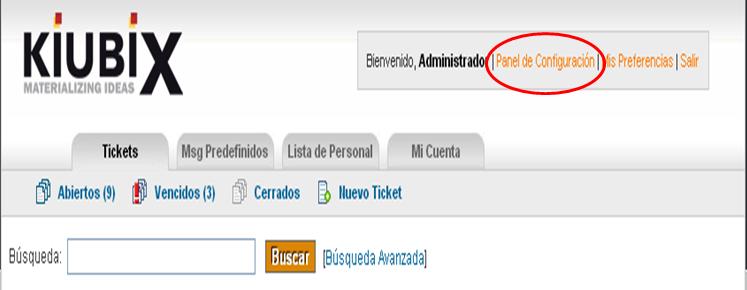
2. Hacemos clic en la pestaña de “Configuración”.

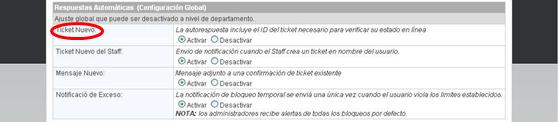
3. Nos vamos a la sección de “Respuestas Automáticas (Configuración Global)” y activamos la opción de “Ticket Nuevo”.
TUTORIAL
[vsw id=”Q9GWpVi2WK8″ source=”youtube” width=”640″ height=”344″ autoplay=”no”]








No Comment