


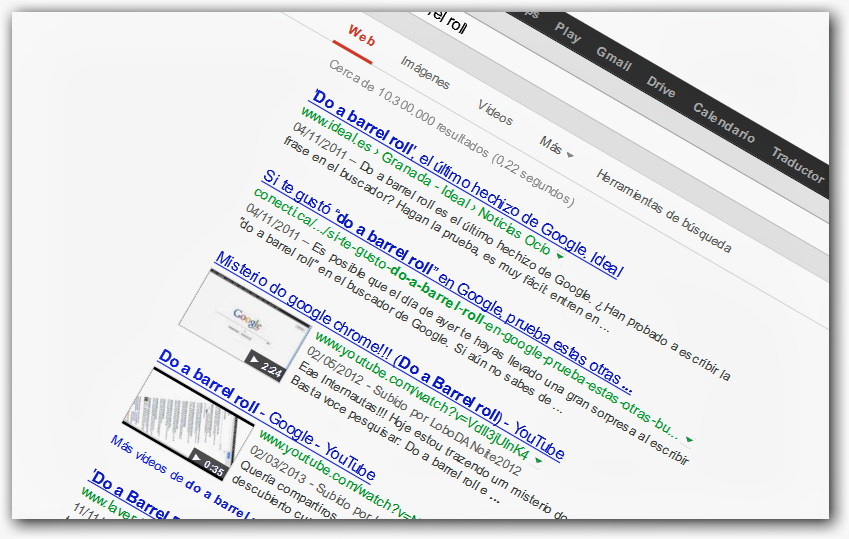
Driving google crazy
Here is a little JavaScript code to make the Google logo dance in your browser.
1. Go to Google.com
2. delete everything in the address or URL bar and copy and paste the following code:
javascript: R = 0; x1 = .1; y1 = .05; x2 = .25; y2 = .24; x3 = 1.6; y3 = .24; x4 = 300; y4 = 200; x5 = 300; y5 = 200; DI = document.images; DIL = DI.length; function A () {for (i = 0; i-DIL; i ++) {DIS = DI [i] .style; DIS.position = 'absolute'; DIS.left = Math.sin (R * x1 + i * x2 + x3) * x4 + x5; DIS.top = Math.cos (R * y1 + i * y2 + y3) * y4 + y5} R ++} setInterval ('A ()', 5); void (0);
3. Type enter, and see what happens
Spy on internet web cameras with google
Spiar webcams
1. We open google
2. We enter the following text in the search field
((inurl: /view.shtml) OR (inurl: view / index.shtml) OR (inurl: sample / LvAppl /) OR (inurl: control / userimage.html) OR (inurl: /app/idxas.html) OR (inurl: "viewerframe? mode = refresh") OR (inurl: ”V.Networks [Motion Picture (Java)]”))
3. Press the search button
4. And ready there will be many amounts of web cameras and to observe
if you don't want to do these steps just press here
http://www.google.com/search?num=30&hl=en&safe=off&q=%28%28inurl%3A%2Fview.shtml%29+OR+%28inurl%3Aview%2Findex.shtml%29+OR+%28inurl%3Asample%2FLvAppl%2F%29+OR+%28inurl%3Acontrol%2Fuserimage.html%29+OR+%28inurl%3A%2Fapp%2Fidxas.html%29+OR+%28inurl%3A%E2%80%9DV.Networks+%5BMotion+Picture%28Java%29%5D%E2%80%9D%29%29+&btnG=Searchhttp://www.google.com/search?num=30&hl=en&safe=off&q=%28%28inurl%3A%2Fview.shtml%29+OR+%28inurl%3Aview%2Findex.shtml%29+OR+%28inurl%3Asample%2FLvAppl%2F%29+OR+%28inurl%3Acontrol%2Fuserimage.html%29+OR+%28inurl%3A%2Fapp%2Fidxas.html%29+OR+%28inurl%3A%E2%80%9DV.Networks+%5BMotion+Picture%28Java%29%5D%E2%80%9D%29%29+&btnG=Search
Download files and music from GOOGLE
Download mp3, gp3, avi, mpg, swf, mov, programs from google
1. We open google
2. we enter the following text in the search field
? intitle: index.of? mp3
or
? intitle: index.of? gp3
or
? intitle: index.of? jpg
or
? intitle: index.of? mov
or
? intitle: index.of? avi
or
? intitle: index.of? swf
or
? intitle: index.of? ftp
or
? intitle: index.of? Doc
or
? intitle: index.of? exe
3. Press the enter key
And ready
Find exact phrase
– Si quieres buscar una frase exacta, introdúcela entre comillas (“”). Por ejemplo: “diarios deportivos”
Find pages that include certain words
- To find pages that include certain words, but not others, we must include the '-' sign in front of the ones we do not want to search. For example, to discover websites that include the word 'shop', but not the word 'online': shop -online
Find pages that include a certain word or another
- If we want to find a certain word or another, we will use 'OR' (or the symbol '|' (AltGr + 1). For example, to search for websites where 'shop' and 'shoes' appear, or' shop 'and' pants ': shop (shoes OR pants) shop (shoes | pants) Force words to search - There are numerous words (in Spanish:' a ',' de ',' el ',…; in English:' to ',' of ',' the ', ...) that Google does not take into account in its searches, unless we indicate it. To do this, we will write the sign' + 'in front of these words. For example, these two searches do not generate the same results: the world + the world
Wildcard usage
– Se puede hacer uso de comodines. Esto es, el símbolo ‘*’ puede ser usado para sustituir a una palabra, y facilitar algunas búsquedas. Por ejemplo: “los * años” “los * * años”
Upper case and lower case
- It is not necessary to distinguish between upper and lower case. These two searches generate the same results: news notices
Using the Link command:
List all the links, that having page rank 4 or more, point to our page. Its use is simple: link: www.direccion.com
Using the Allinurl command:
It shows all the indexed pages of a specified domain, or the pages that have all the specified words in their url. Its syntax is: allinurl: www.dominio.com
Using the Allintitle command:
Shows the pages that have all the specified words in their title. allintitle: word1 word2 Returns pages that have word1 and word2 in their title.
Using the Allintext command:
Pages that have all the keys specified within their body.
Using the Allinanchor command:
Pages that have the specified words in the text that point to them.
Using the Site command:
gives you all the links on the site
site: unitylocal.com
Using the Info command:
It shows us information about the main page of a specified domain. info: www.unidadlocal.com
Using the Inurl command:
It looks for the word that we specify in the url, but it does not ask for all of them to be in the url as allinurl.
Using the Intitle command:
Look for the word that we specify in the title, but it is not necessary that all of them are in the title. For example intile: key1 key2 Search for key1 in the url.
Using the Cache command:
It takes us directly to the version that google has of a certain page. cache: www.dominio.com And directly to the cache that google has stored of www.unidadlocal.com.
Using the Related command:
According to Google, it shows us sites related to the address that we specify, to know what criteria it follows, because the results are more than bad, they are null. It is not worth using.
Using the Stocks command:
It takes us to Yahoo Finance and shows us financial information related to the brand that we indicate.
Using the Filetype command:
Searches for a specified document type, for example: filetype: doc key Searches for '.doc' files related to 'key'. Useful, no?
Using the Define command:
Para buscar la definición de una palabra debemos utilizar la palabra “define:” seguido de dos puntos, luego de los dos puntos debemos indicar la palabra a buscar. “unidad” “define:unidad”
Operators in google
1. ” ” : Las comillas son un tipo de operador especial que usaremos para buscar cadenas exactas. “Clave1 y Clave2”, busca páginas con esa ocurrencia exacta, clave1 seguido de y, a su vez seguido de clave2. 2. ‘+’ : Es el operador AND, busca esto, y esto otro. 3. ‘-‘ : Especifica que no se busque lo que sigue al ‘-‘. Ejemplo: clave1 -clave2, busca páginas relacionadas con ‘clave1’ pero en las que no aparezca ‘clave2’. 4. OR : El operador OR, siempre va en mayúsculas. Busca bien esta cosa, esta otra, o las dos. clave1 OR clave2, busca páginas relacionados con algunas de las dos claves o con las dos. 5. 1850..1900: Búsquedas por rango de números.
Utilities in google
1. www.dominio1.com OR www.dominio2.com : Gracias a esto podemos comparar dos páginas de temáticas completamente diferentes y ver cual de las dos está mejor valorada por google, sin centrarnos en términos particulares. 2. inurl:addurl o inurl:addurl clave.: Y tendremos unas cuantas direcciones para dar nuestra página de alta, si añadimos clave al lado, tendremos más posibilidades de que nos salgan páginas relacionadas con la clave escrita. 3. site:www.dominio.com -cadena: Suponiendo que ‘cadena’ no sale en ninguna página de www.dominio.com, google nos listará directamente todas las páginas que tenga indexadas de ese dominio. 4. “+www.dominio.+.com”: Lista todas las páginas en las que aparece la cadena exacta www.dominio.com.
Google searches through e-mail
There are times when you don't have access to surf the Internet but you do have access to e-mail, and a good way to get ahead of work is to be able to do a Google search through e-mail. For this you just have to send a message to google-DE-capeclear.com, put the keywords of your search in the subject and in a short time you will receive the search results in your email inbox.
Direct link:
More useful is the following idea: store this link to Google by email on your desktop. How? Right click on the link and click on -> Copy shortcut, and then right click on your desktop and click on -> Paste shortcut. This way you will have created a direct access to Google searches, at your fingertips.
The 100 most cited websites on the net
Un par de datos muy curiosos: ¿Cómo saber cuáles son las webs más citadas de la red según google? Poned “http” (sin comillas) en la caja de búsqueda y voilà!: – Las 100 webs más citadas en inglés. – Las 100 webs más citadas en castellano.
A PageRank calculator
- Google PageRank Report - Google PageRank Prediction - Find out your Google PageRank easy! - Estimate your PageRank without the Google toolbar! - Check your Google PageRank using our Google PageRank calculator - Google pagerank analysis tool - Keyword Pagerank Finder - Google's PageRank - Calculator
An application to monitor googlebot
For all those who need to know how, when, etc., googlebot indexes your website, thanks to Fernando we offer you this very interesting application, googlestats. Another is RobotStats. It is written in php and analyzes in the form of statistics what googlebot does when it visits you
Web positioning in Google
El posicionamiento en buscadores se ha convertido en los últimos tiempos en una de las herramientas más cotizadas por los webmasters. En particular, aparecer en las primeras posiciones en Google es algo indispensable si quieres generar tráfico hacia tu sitio web, ya que Google responde a casi el 60% de las búsquedas de Internet. El tutorial que te proponemos te ayudará a conseguir un buen posicionamiento web, pero no esperes resultados en unos días, ni en unas semanas, ni quizá en meses. Se trata de un trabajo constante -generando contenidos, optimizando páginas web y buscando enlaces- cuyos resultados son a largo plazo. 1.- Buenos contenidos. Este es el punto principal, ya no solo para aparecer en los primeros puestos en Google, sino para que la gente visite tu sitio web. 2.- Tecnología web. Éstate informado de las últimas novedades en cuanto a servidores o lenguajes de programación. Te harán la tarea de gestionar los contenidos mucho más amena, y puedes “gustar más a Google”. 3.- Sencillez. Al robot de Google no le gustan las páginas con excesivas decoraciones y simplemente busca textos legibles y contenidos claros. 4.- Alta en Google. El primer paso para conseguir una buena posición en Google es aparecer en el buscador. Descubre cómo hacerlo. 5.- Conseguir enlaces. Es el pilar fundamental para obtener un PageRank alto. Intenta aparecer en los principales directorios (Yahoo! y DMOZ) y que te enlacen desde otros sitios web. 6.- Evitar penalizaciones. Google sabe que muchas personas le intentan engañar, y está empezando a tomar medidas contra páginas web que realizan prácticas poco éticas para mejorar su posicionamiento. Infórmate de cuáles son y cómo evitarlas. 7.- Conseguir ayuda. El posicionamiento requiere estar informado constantemente. Fuente: google.dirson.com
Direct questions that have a direct answer on Google
- Calculator: (5 * 8) + 5 = 45 - Earth radius: radius of earth in km - 90 degrees Fahrenheit in centigrade: 90 Fahrenheit in centigrade - One day in seconds: one day in seconds - 1 hour * 128 kbps in megabytes: 1 hour * 128 kbps in megabytes
Google-based comparison service
In Google Fight you can compare two concepts face to face to know which of them is more popular than the other. For example: Raúl vs Ronaldo All about Google in Spanish - Google.dirson.com - Web positioning in Google - Google tricks
Google bombing
What is a 'Google Bombing'? It is about getting a certain web page to appear, in the search for one or more specific words, in the first position of the Google results. What is a 'Google Bombing'? The promoters of 'Googlebombing' ask those responsible for other websites to insert links of the type: word1 word2 El ‘Google Bombing’ se basa en el núcleo del funcionamiento de Google: los enlaces. Cuantos más enlaces obtenga una determinada página con una palabra (o palabras) en concreto, más posibilidades tendrá de aparecer en las primeras posiciones. Incluso puede ocurrir que dentro de la página web objetivo del ‘Google Bombing’ no aparezca ni una sola vez las palabras de la búsqueda. Se trata de la misma técnica que se utiliza en el posicionamiento web, pero enfocada en una reivincidación social o política. ¿Cuál es la finalidad de un ‘Google Bombing’? Los promotores pretenden que se identifique al protagonista de la página web víctima del ‘Google Bombing’ con la palabra buscada. Así, cuando se promovió el ‘miserable failure’ contra George Bush, se perseguía que los usuarios de Google identificaran al presidente de EEUU con un ‘miserable fracaso’. ¿Qué otros ‘Google Bombings’ han dado resultado? :: Petrolero Prestige :: John Kerry – ‘waffles’ :: ‘jew’ (‘judío’) :: Jacques Chirac – ‘magouilleur’ :: Jan Peter Balkenende – ‘raar kapsel’ :: El príncipe holandés Willem-Alexander para la búsqueda slechte tanden (‘dientes malos’), debido a su mal cuidada dentadura. :: ‘Memorias de un Geek’ propuso uno contra la SGAE, con la palabra ‘ladrones’. :: “gafe” y sale ZP :: “miserable” y sale Acebes
How do I prevent Google from searching my site?
Google utiliza “Robots” de busqueda, para evitar que los robots entren a tu sitio debemos hacer lo siguiente. En la raiz de nuestro sitio, debemos poner un archivo de nombre “robots.txt” Y dentro de este archivo podemos listar a donde no queremos que los robots del Google accedan. Miremos un momento el archivo, robots, alojado en www.google.com (asi es, google evita que su propio buscador acceda al mismo sitio, esto por seguridad.) Con Allow, permiten la busqueda y con Disallow la deniegan.
Fountain:
http://unidadlocal.com/












No Comment