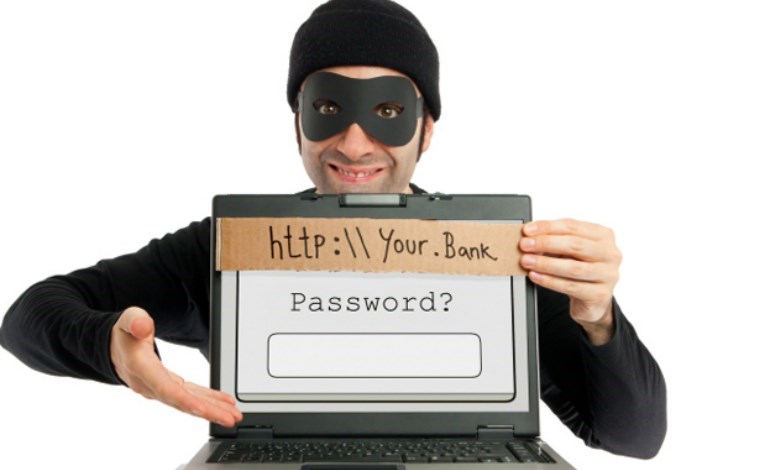
Phishing occurs when a third party, usually a malicious hacker or website, uses a company's brand identity to corner a user and expose private information.
There are two types of email phishing:
- Phishing messages arriving to you
- Phishing messages that come from from you
Phishing emails take advantage of legitimate business brands to implant malware in an attachment or download or obtain login credentials. Phishing remains the primary method of obtaining credentials for attacks. You must know how to protect yourself, your users, and your business against phishing.
Identification of phishing emails
Hackers and phishing groups are constantly changing their patterns to improve both their targeting and the effectiveness of their emails in exploiting users, but there are some common characteristics to every phishing email.

¿Por qué me importaría si el phishing proviene “de” mi dominio?
Put yourself in the shoes of your customers, partners and suppliers. If you received an email that appeared to be from one of them, but it turned out to be phishing, would you still trust them? Would that erode their brand on your mind? Are you more likely to check your legitimate emails for errors, problems, and threats? Phishing with your domain hurts your brand, even when your customers know you are not responsible! Additionally, phishing puts the delivery of your email at risk. Increasingly, email inbox providers like Google, Yahoo! and Outlook.com looks at the domain an email is coming from and what the reputation of that domain is on their systems. If your domain name has been used for phishing, then all of your emails may come under additional scrutiny. If not controlled,
How do I recognize the phishing of my domain?
Ocasionalmente, los destinatarios del correo electrónico le preguntarán directamente “¿Envió este correo electrónico?”, Pero para entonces, ya es demasiado tarde. Los correos electrónicos de phishing son como las cucarachas: ver uno significa potencialmente cientos escondidos en la madera. Sin adoptar tres nuevas tecnologías (ish), realmente no puede saber cuándo se está utilizando su dominio para fraude y phishing. Las tecnologías que necesita para pensar son SPF , DKIM Y DMARCand each works together SPF lets you tell the world who can send emails on your behalf, DKIM lets you digitally sign your emails, and DMARC lets you designate an email address to receive feedback on your email, among other things . Once you have the SPF and DKIM settings for most of your email, you can get feedback on your email through the email address on the DMARC record. Each email inbox provider (Google, Yahoo!, Outlook.com, etc.) will provide comments containing to all that send emails for your domain, legitimate and phishing, they received. You will want to analyze the comments to identify the IP addresses and domains that are not legitimately connected to your business.
How do I stop phishing with my domain?
Here again, SPF, DKIM, and DMARC are important technologies to understand. IP addresses and domains that fail to align or authenticate with SPF, DKIM, or DMARC are likely candidates for phishing scams. However, these can also be legitimate senders that are misconfigured or not included in your SPF. You will need to research each one to determine its legitimacy. Once you are sure you know who is legitimate and that they are passing SPF, DKIM, and DMARC controls, you can start informing inbox providers what to do with email that does not meet these controls. DMARC allows you to set the steps that a recipient should take with email that is failing SPF, DKIM, and DMARC checks:
- None - Do nothing
- Quarantine - Put this email aside and tell me you quarantined it
- Reject: Bounce the email completely
Your DMARC record also allows you to set the percentage of traffic subject to these rules, from 0 to 100%. This level of granularity is important to allow you to control how quickly you move all of your emails into a rejected state. This way you can test to see if legitimate email is affected without negatively impacting your business. Once you reach a 100% reject policy, you are filtering all phishing using your domain.
Phishing emails leverage a strong brand
En el ejemplo de la derecha, la dirección de correo electrónico “De” utilizó Paypal, pero lo he visto con muchas grandes marcas, especialmente en las industrias de tarjetas de crédito, financieras, bancarias y de seguros. Ask yourself: do you really have an account? Is this the email address for that account? Have you done anything with the account lately?
El dominio “De” y el Dominio de ruta de retorno no coincidirán
Es relativamente fácil falsificar una dirección “De”. Las Normas de correo electrónico permiten que terceros remitentes de correo electrónico envíen correos electrónicos en nombre de otro dominio; de lo contrario, los proveedores de la bandeja de entrada como Google y Outlook.com o los proveedores de correo masivo no pueden enviar correos electrónicos para los dominios comerciales o personales que alojan. Si “De” y Ruta de retorno no coinciden y la Ruta de retorno parece aleatoria o sombría, es muy probable que tenga un correo electrónico de phishing. Además, la mayoría de las empresas no utilizará un tercero para enviar correos electrónicos importantes de información de cuenta como el anterior, sino sus propios servidores internos. Check the Return Path email address in the header to see if it looks legitimate.
There is an attached file
If you have to download something that you did not ask the company for, it is likely a phishing email and may contain malware. Even PDFs or DOCs can contain malicious payloads. At the very least, they try to induce you to think that your fake document is valid so that they can obtain personal, private or financial data from you. Do not download attachments that you have not requested.
There is a sense of urgency
El correo electrónico le pedirá que “actúe pronto” o le costará dinero. Este sentido de urgencia te hace reaccionar antes de pensar. Take a breath before you act on any emails that look really important.
Links on the page go to a different domain
Often times, a phishing email will include a link to a third or fourth domain or just an IP address. The goal here is to get you to unexpectedly click on any link so that they can improve the information and get your information when you try to log into your fake website. Sometimes domains even look like subdomains or related domains. Always check the links before clicking on them. When in doubt about any links, open a clean window and navigate to the company's website and log into your account from there to verify the problem.
Quality varies
Algunos correos electrónicos de phishing, como el de arriba, se ven bien en la superficie. Por ejemplo, los logotipos se ven correctos, las fuentes y el esquema de color son apropiados y parte del lenguaje es incluso directo de correos electrónicos legítimos. Sin embargo, cuando lees más a fondo, puedes ver errores ortográficos, errores gramaticales u otras áreas donde está claro que el escritor no era un hablante nativo de inglés. Observe arriba que “DeLL” no está escrito correctamente ni la frase “¿Este no es usted?” Ingles apropiado. Take a moment to read the information presented in the email and check for grammar and spelling.