



To configure our corporate email on our cell phone, the first thing to do is make sure you have:
1. Your email address
2. Password
Within the menu of our phone, we slide to the left and click on settings:
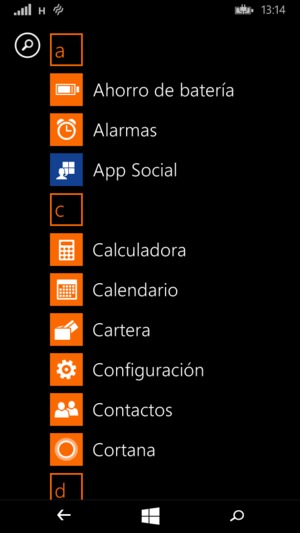
Ahora seleccionamos “correo y cuentas”

Seleccionamos “agregar cuenta “.
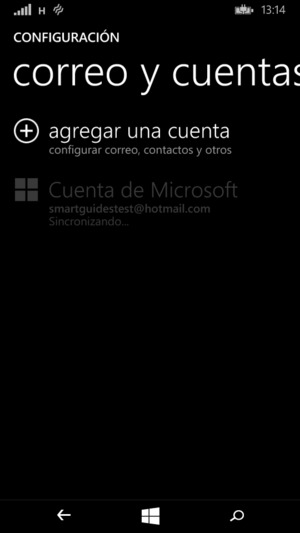
Damos clic en “configuración avanzada”.
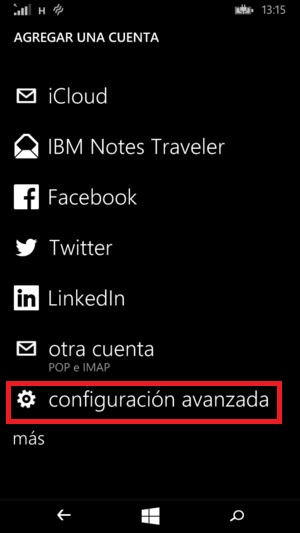
Agregamos la dirección de correo completa y su contraseña, una ves colocados estos datos damos seleccionamos “siguiente”.

Ahora seleccionaremos “correo de interne”.
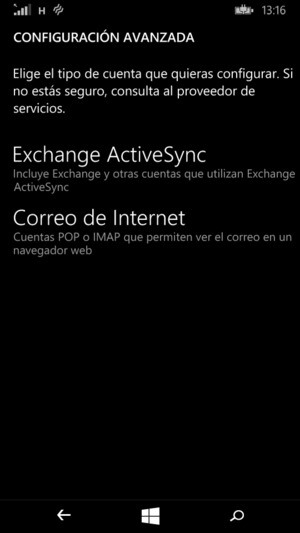
Now we will fill in the information with the following data:
Servidor de correo saliente y/o entrante: mail.nombredemidominio.com (por ejemplo “mail.kiubix.com”)
Account type: pop3
Username: Full email address
Password: The password of the email account.
Outgoing Server Requires Authentication - Enabled.
Use the same username and password as the incoming server: activated
Cundo llenemos todos los campos, damos en “iniciar sesión”
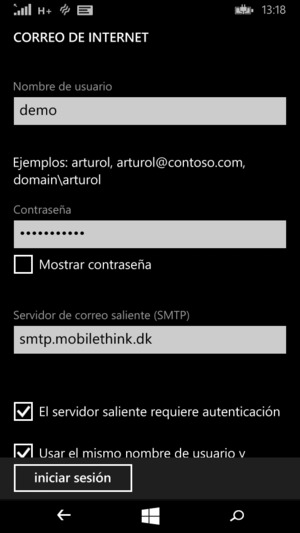
In this way we will have our corporate email on the cell phone.












No Comment