


The default files are files that have been shared with all users.
Here we explain step by step how to view these files.
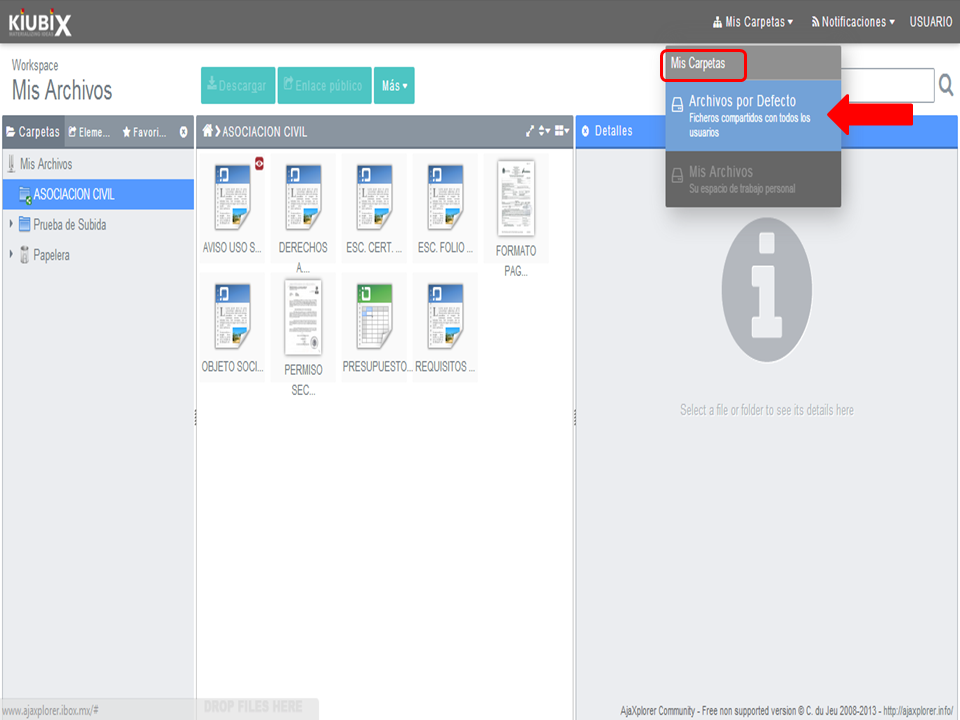
1. Colocamos el cursor sobre “Mis Carpetas” y hacemos clic en “Archivos por Defecto”.
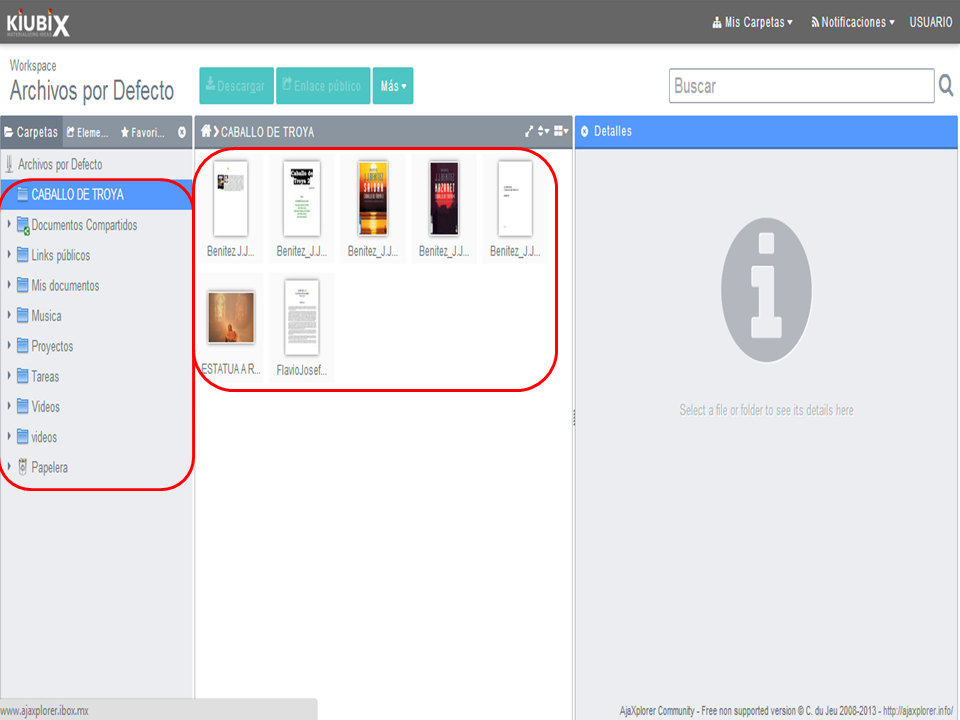
2. The files will appear by default.
TUTORIAL
[vsw id=”l_Y-NtndSY4″ source=”youtube” width=”640″ height=”344″ autoplay=”no”]







No Comment