
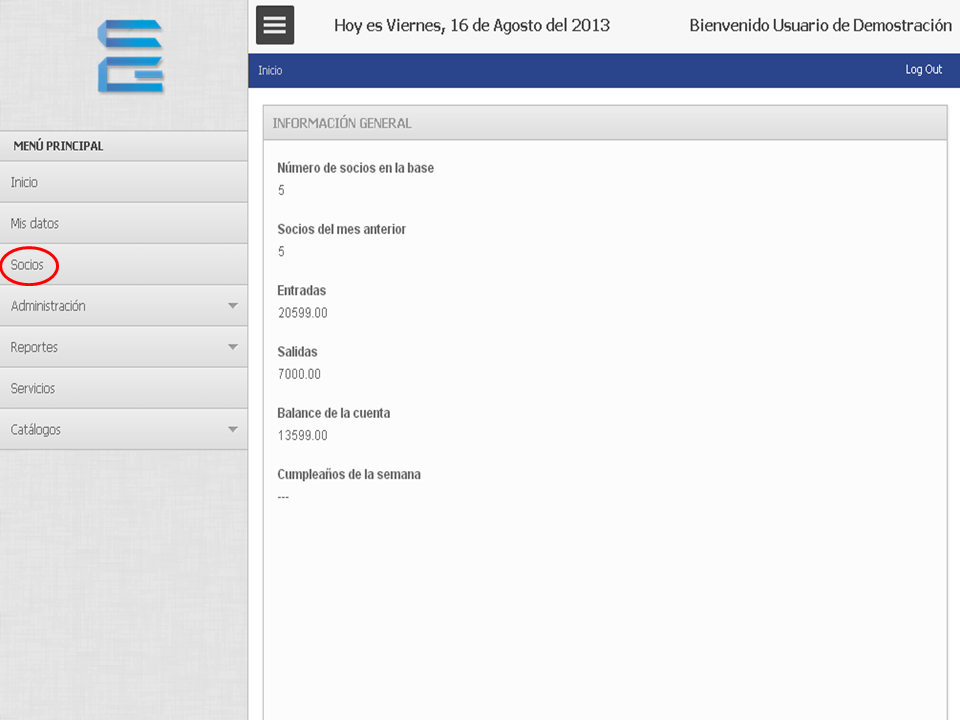
1. Hacemos clic en “Socios”.
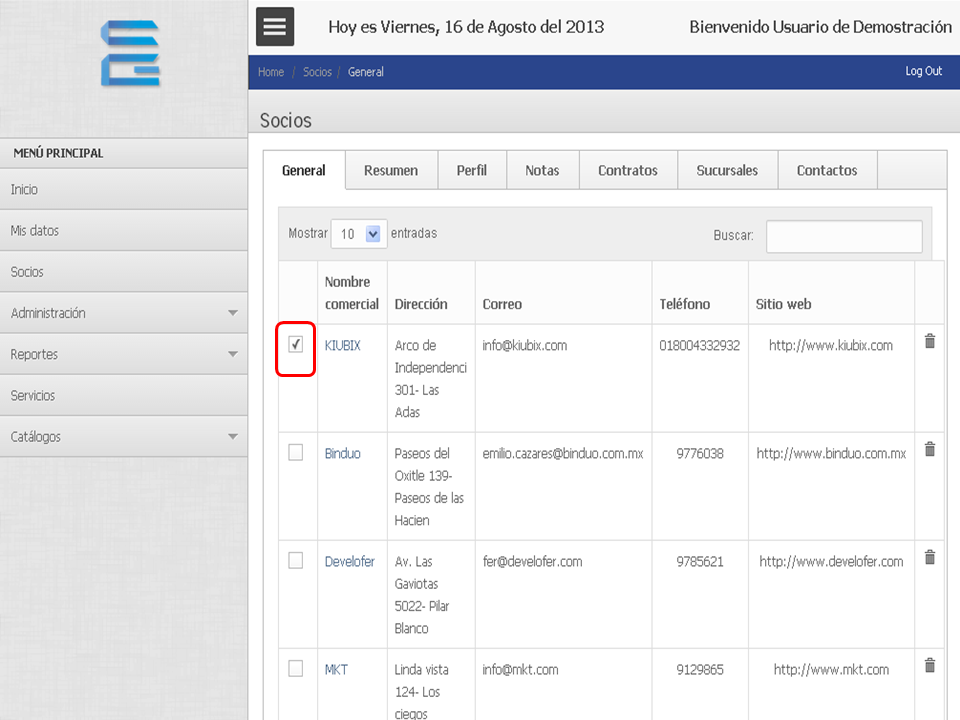
2. Seleccionamos el socio para ver el perfil.
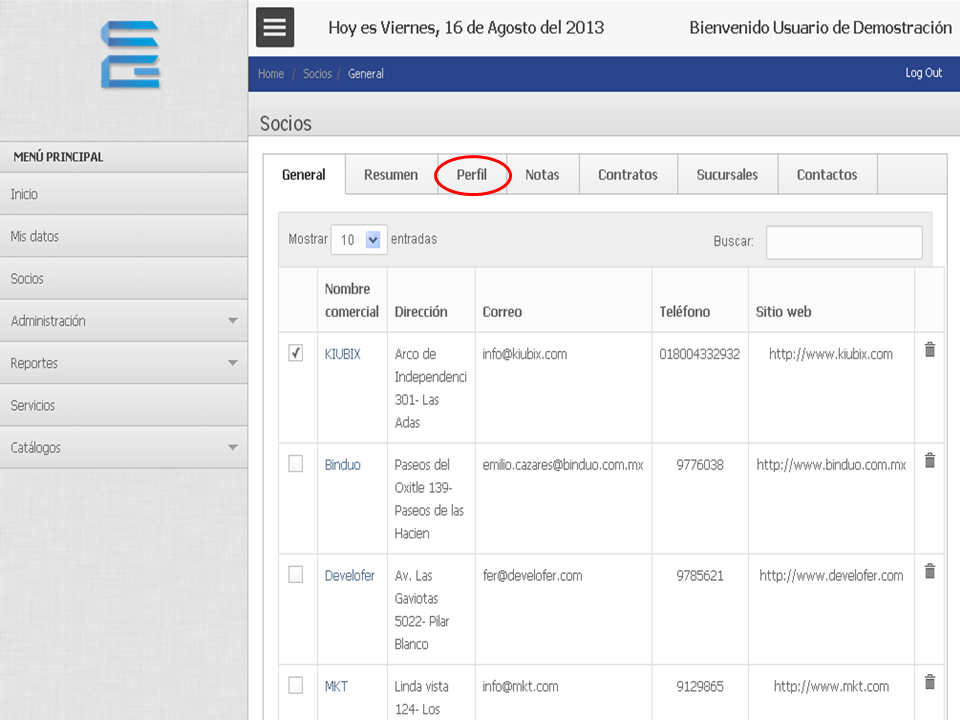
3. Hacemos clic en “Perfil”.
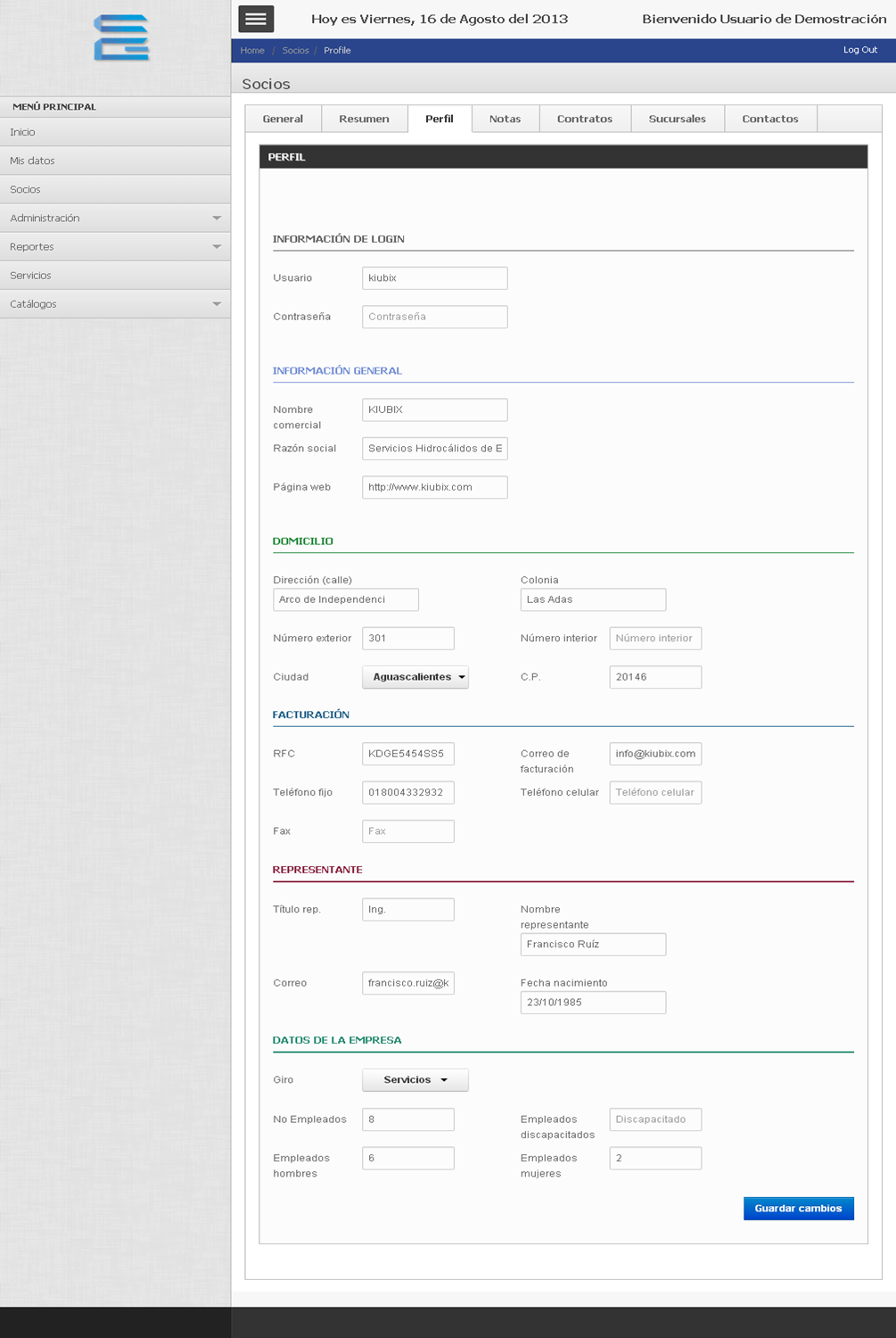
4. Nos mostrará el perfil del socio.
TUTORIAL
[vsw id=”vRjwKmyMA3Y” source=”youtube” width=”640″ height=”344″ autoplay=”no”]


1. Hacemos clic en “Socios”.
2. Seleccionamos el socio para ver el perfil.
3. Hacemos clic en “Perfil”.
4. Nos mostrará el perfil del socio.
[vsw id=”vRjwKmyMA3Y” source=”youtube” width=”640″ height=”344″ autoplay=”no”]








No Comment