


If you want to read or send mail from your e-mail boxes, you must access the WebMail of your Website.
To access it you must write in the address bar of your browser (Internet Explorer, FireFox, etc.) the address of your Page with the addition "/ webmail /". Example: www.yoursite.com/webmail/
Next, the system will ask you for the corresponding username and password, in which you must enter the full address of the account you want to enter and the password that you assigned to the Account at the time of registration. create it from cPanel.

Once you have completed the access data, you must select the Program you want to use to check the Account (Horde, SquirrelMail or RoundCube) from which you can read and send messages.
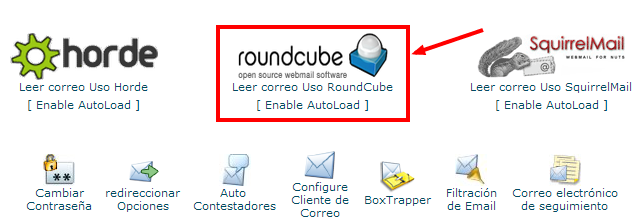
Recomendamos seleccionar la opción “roundcube”, ya que cuenta con una interfaz mas amigable. Si tienes alguna duda déjanos un comentario y uno de nuestros expertos te apoyará.











No Comment