


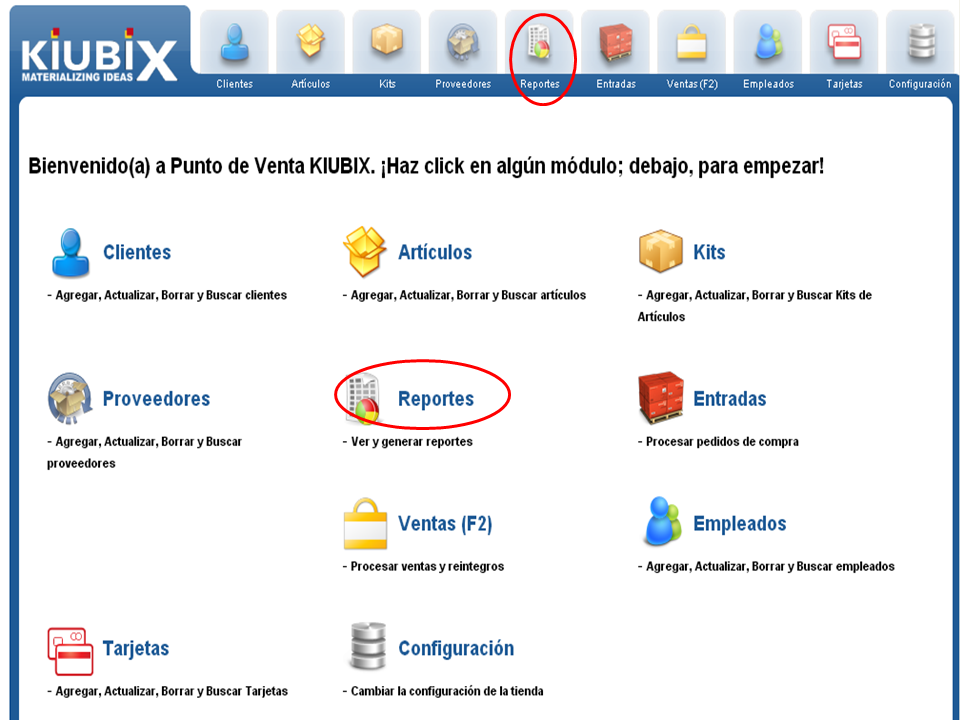
1. We click on "Reports" in the menu bar or in the control panel.
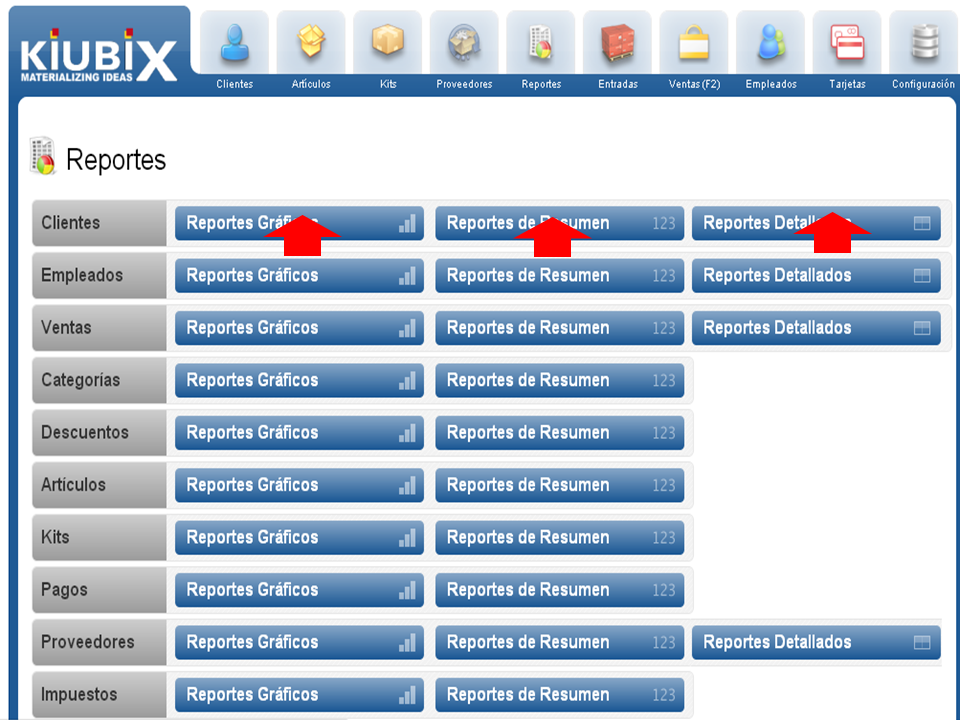
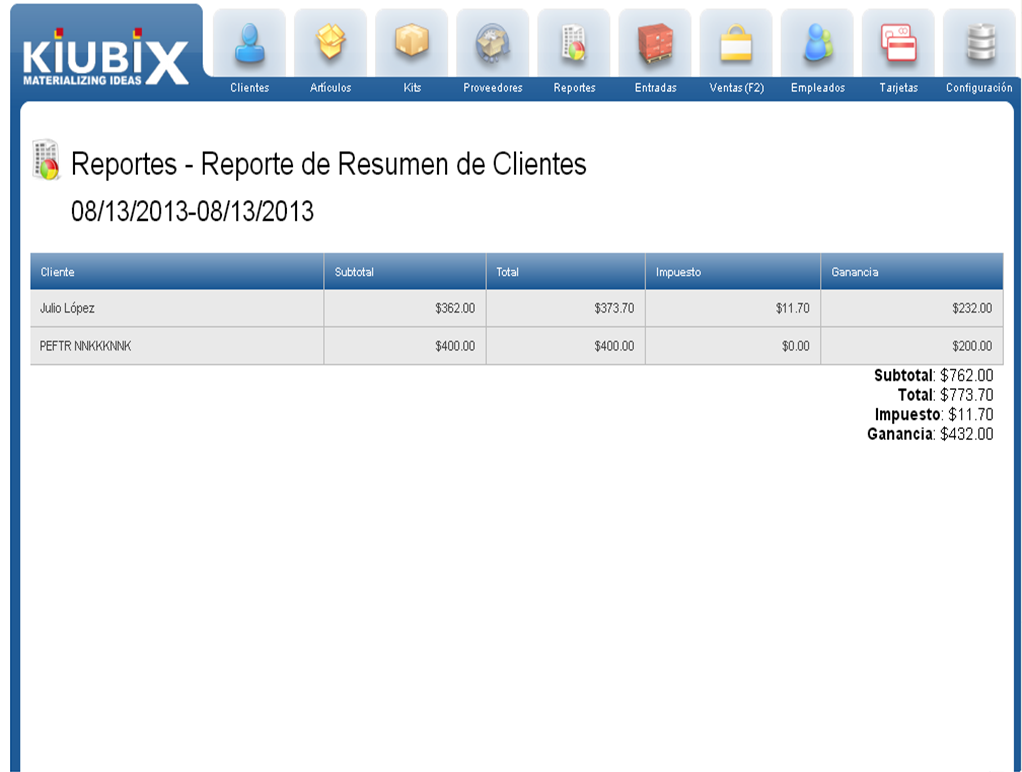
2. We click on the type of report we want from a module.
3. Next we select the date range and the type of sale.
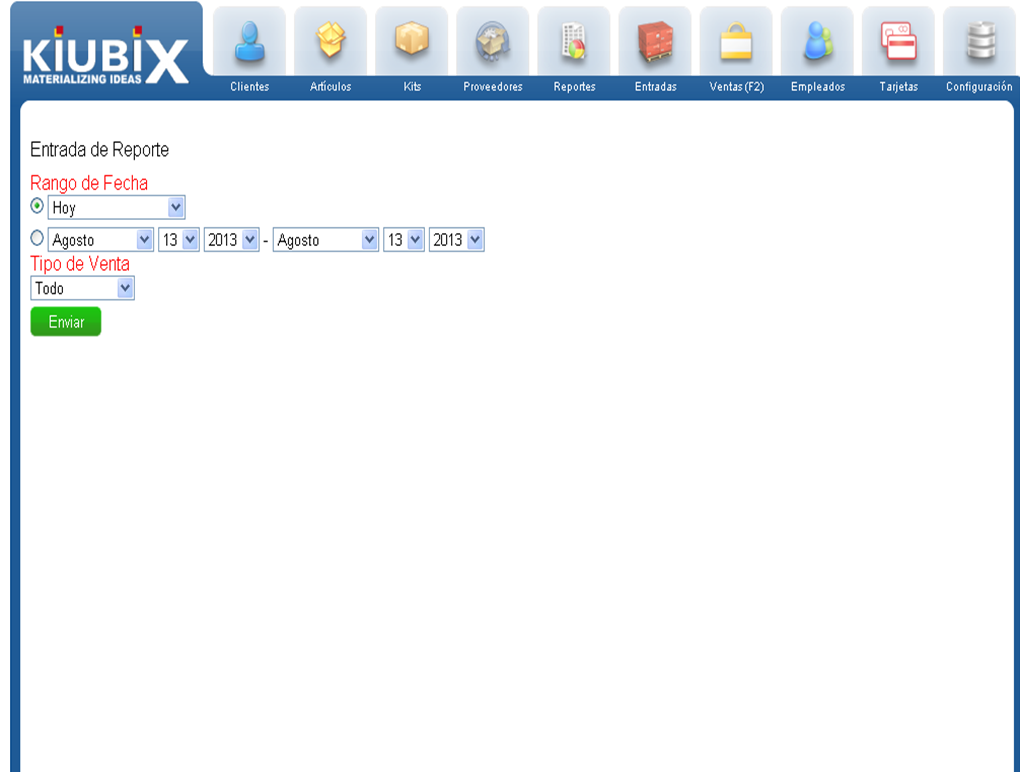
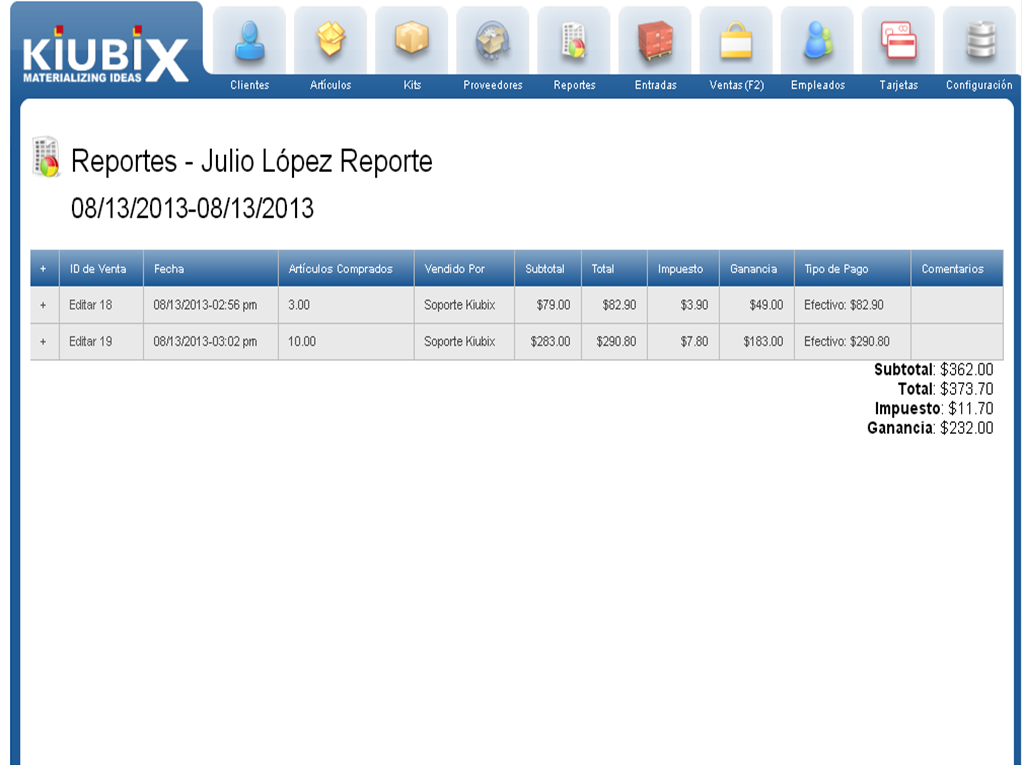
NOTE: if we want to generate a detailed report, we must select the client.
4. The report will appear:
Graphic Report
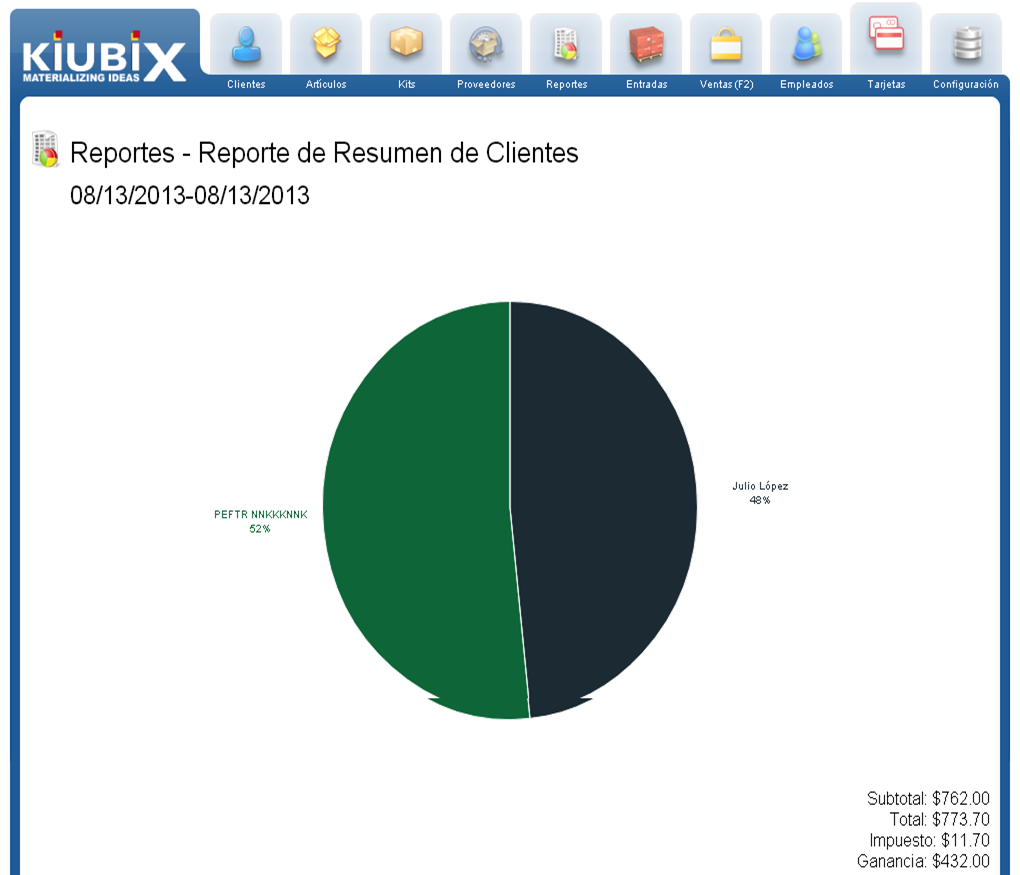
Summary Report
Detailed Report
TUTORIAL
[vsw id=”K_TA2lhygVY” source=”youtube” width=”640″ height=”344″ autoplay=”no”]










No Comment