How to add a partner in the Business Center System (SCE)?


1. Hacemos clic en “Socios”.
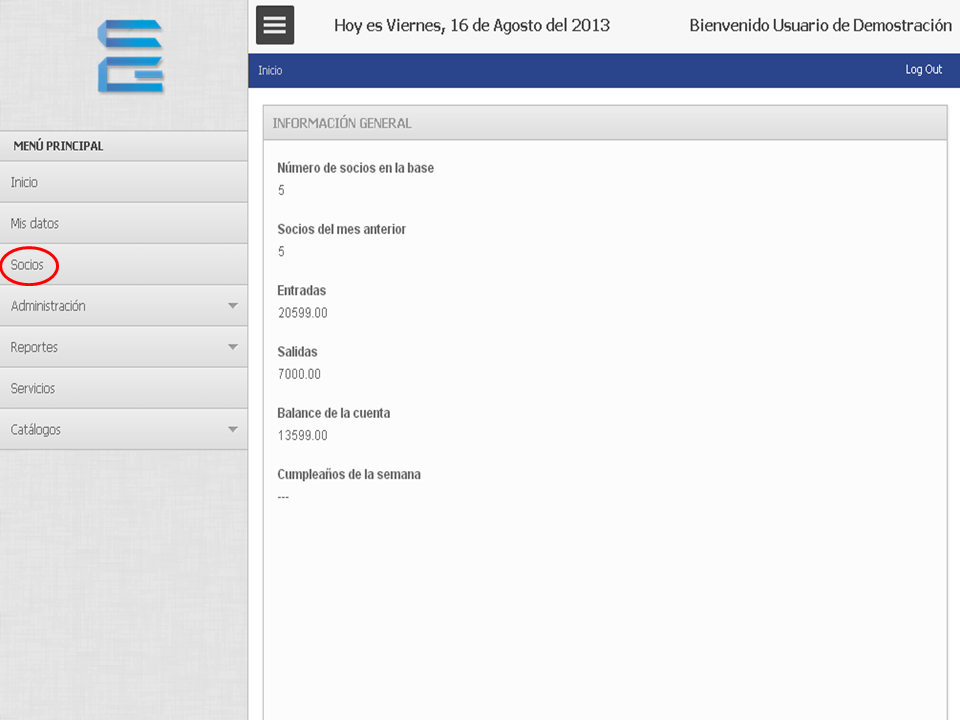
Socio_1


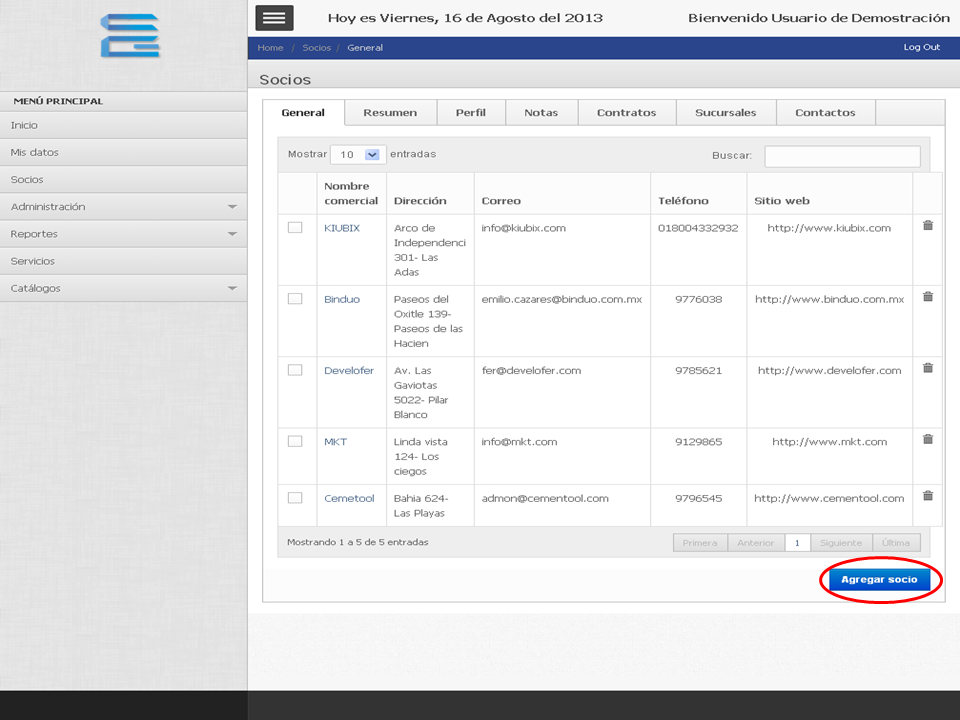
2. Hacemos clic en “Agregar Socio”.

Socio_2


3. Nos aparecerá un formulario donde vamos a llenar los campos con la información del socio.
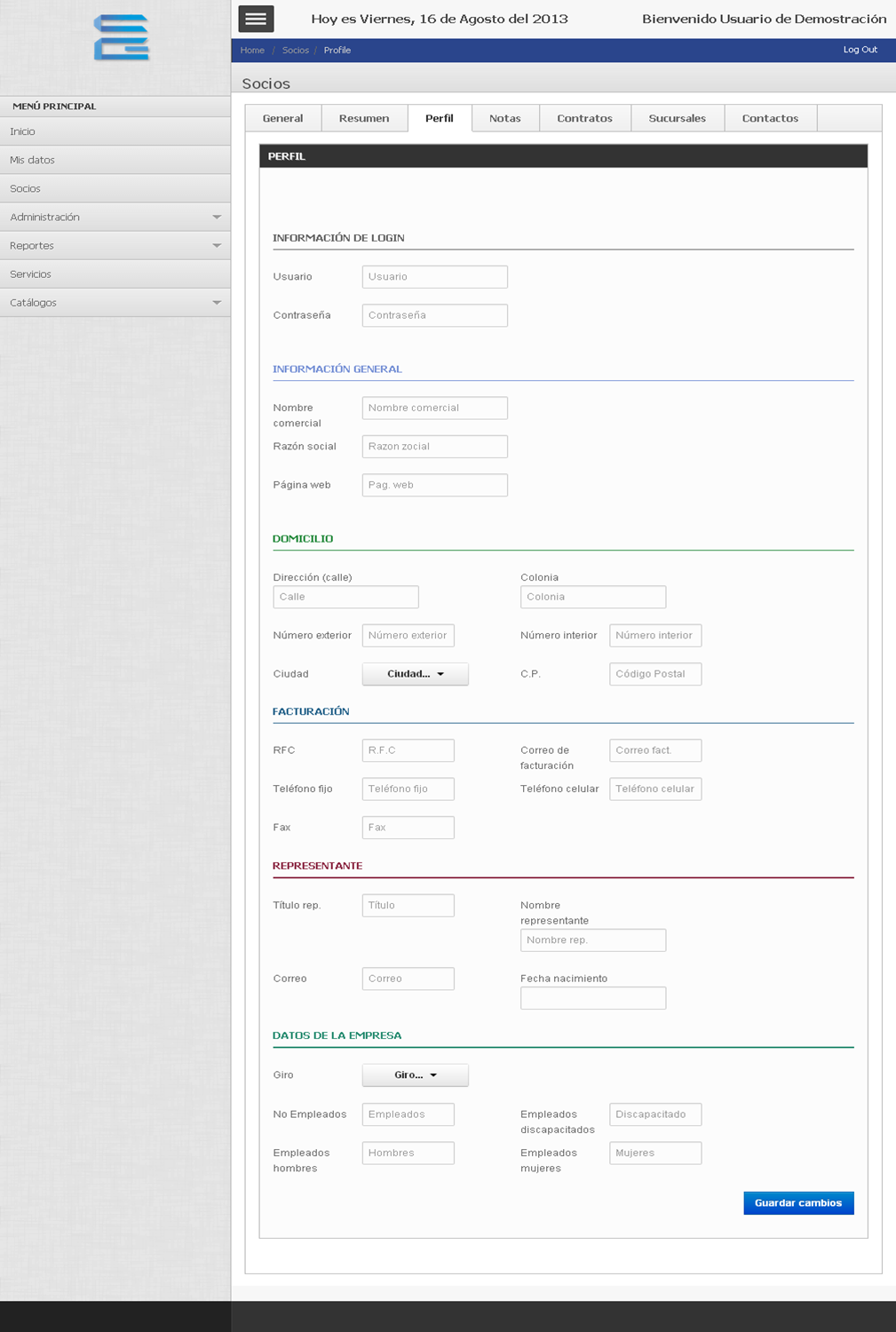
Socio_3


4. Cuando hayamos terminado, hacemos clic en “Guardar Cambios”.
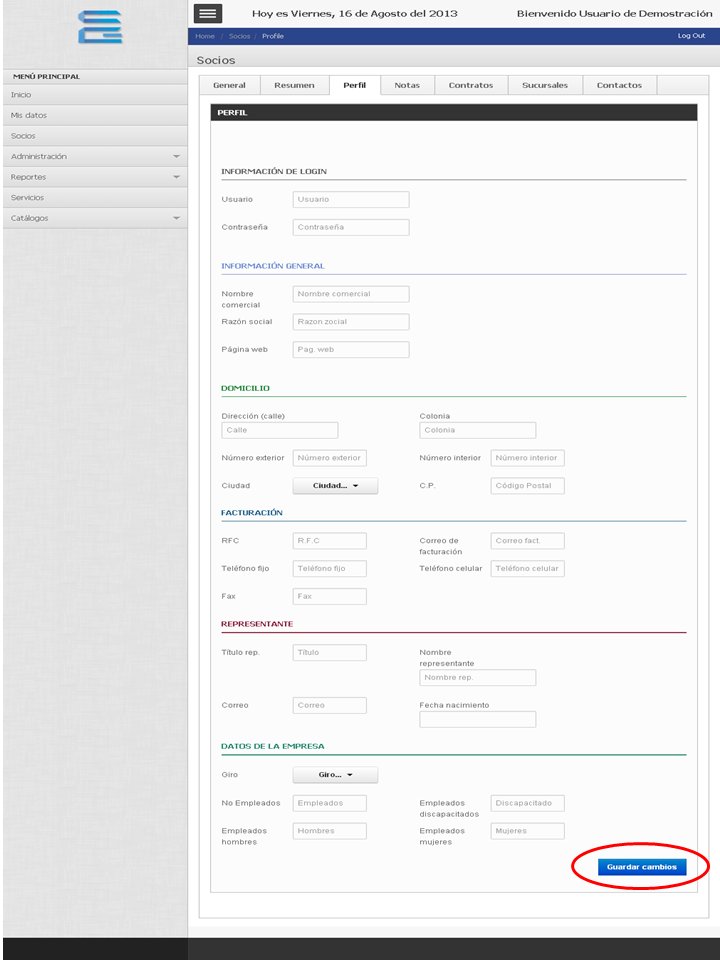
Socio_4


TUTORIAL

[vsw id=”3BdaJM2eTTQ” source=”youtube” width=”640″ height=”344″ autoplay=”no”]

Previous How to edit my profile information in the Business Center System (SCE)?
Next How to view the information of a partner in the System of Business Centers (SCE)?

No Comment

Leave a reply

Your email address will not be published. Required fields are marked *