


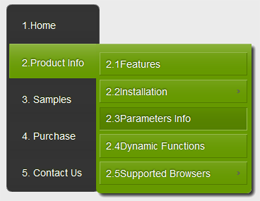
Add new page to Menu
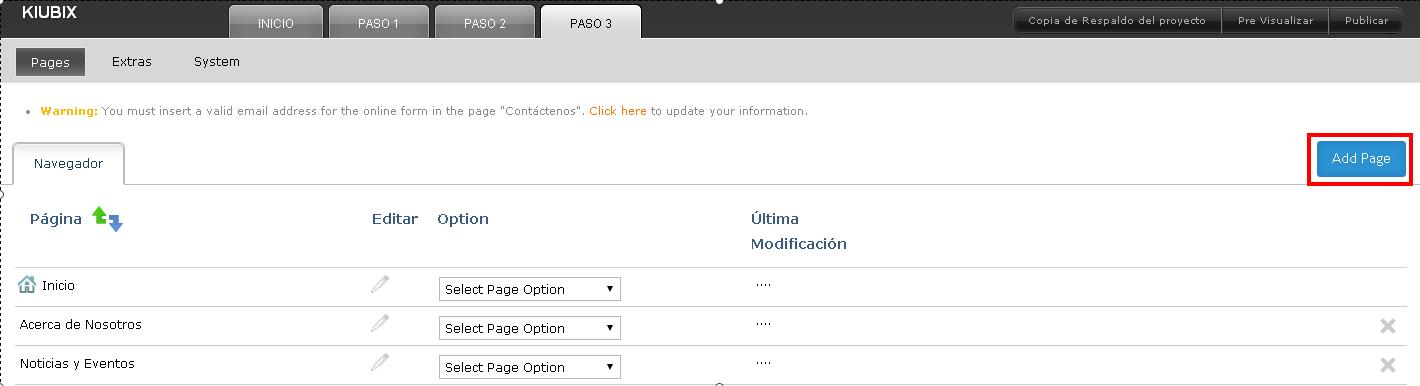
Si deseamos agregar una nueva sección al menú, nos dirigimos al “paso 3”, una ves ahi damos clic en el boton de “Add Page”.
A window will appear with the options for the new section of the menu.
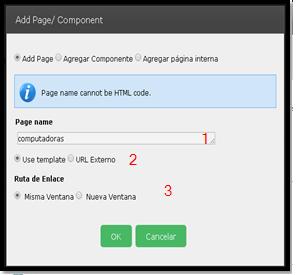
1.- We place the name of the new section.
2.- If we want you to use the same template or if it is linked to an internet address.
3.-Here we select if we want it to be in a new window or to be displayed in the same window.
Para Finalizar y guardar damos clic en el botón de “OK” y de esta manera aparecerá la nueva sección en el menú.












No Comment