


Appointments can be made in 2 ways, one of them from the calendar or from the main menu.
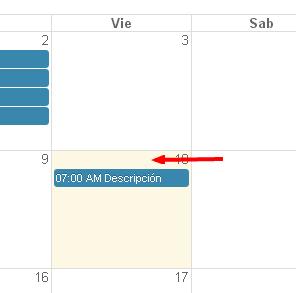
From the calendar: To register an appointment from the calendar, just click on the box of the day on which you want to make the appointment.
From the menu: We go to the main menu, there we click on Agenda / Appointments then Make appointment.
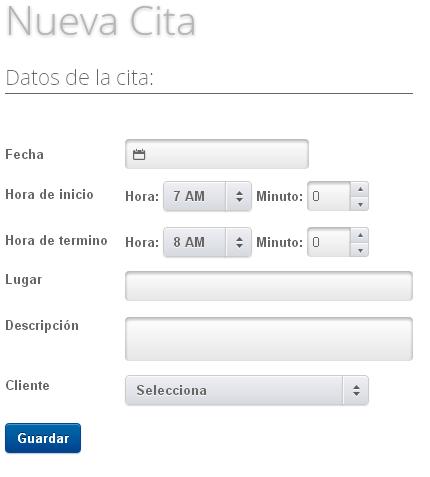
A window appears with a registration form where we will enter the necessary data and click on save, on a screen similar to the following:
TUTORIALS
[vsw id=”tzFui2Uarsc” source=”youtube” width=”640″ height=”344″ autoplay=”no”]
[vsw id=”um5a76mFn9U” source=”youtube” width=”640″ height=”344″ autoplay=”no”]








No Comment